
If you would like to know how to shoot the video of you doing Tai Chi, please review this page.
To submit the video, please follow the instructions below. If you have questions, please contact us at hhp@holhealthpros.com.
1. Sign in on dropbox.com.
If you don’t have an account yet, you can obtain one for free by clicking “sign up” on the home page.

2. Getting started in uploading the video:
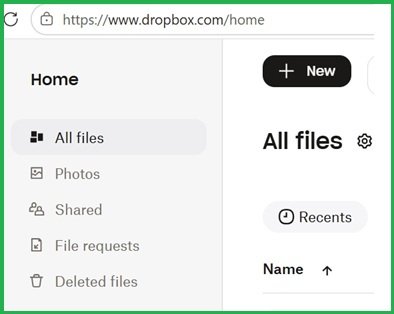
After you sign into your account, find the icon “+ New” on the home page and click on the icon.
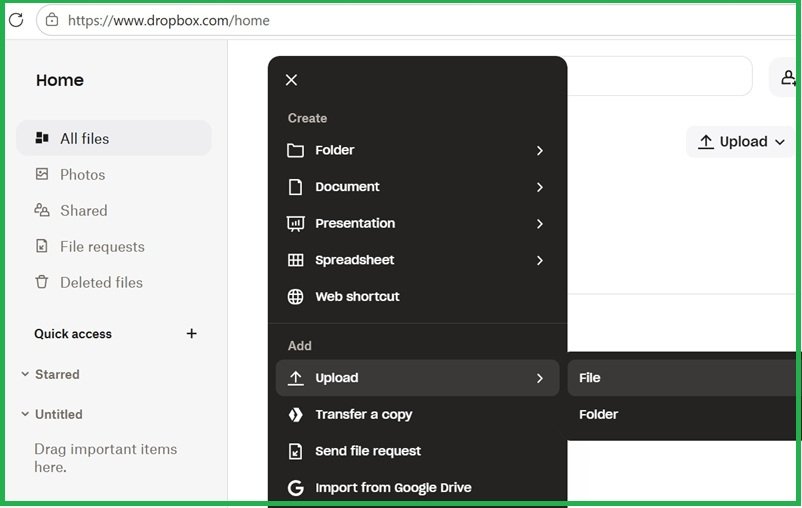
In the drop-down menu, go to “Upload” then “File”.
3. Upload the video
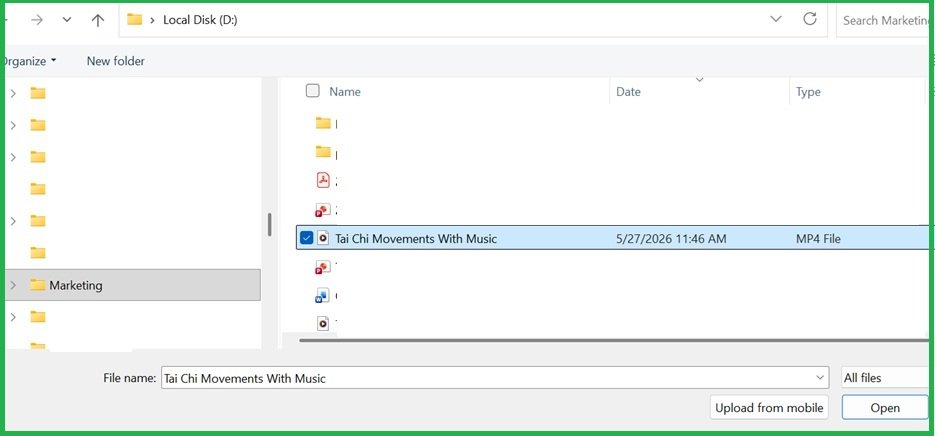
After you click “File” in the drop-down menu, a dialog box opens.
Browse to your video, select it, and then press the “Open” button in the dialog box.
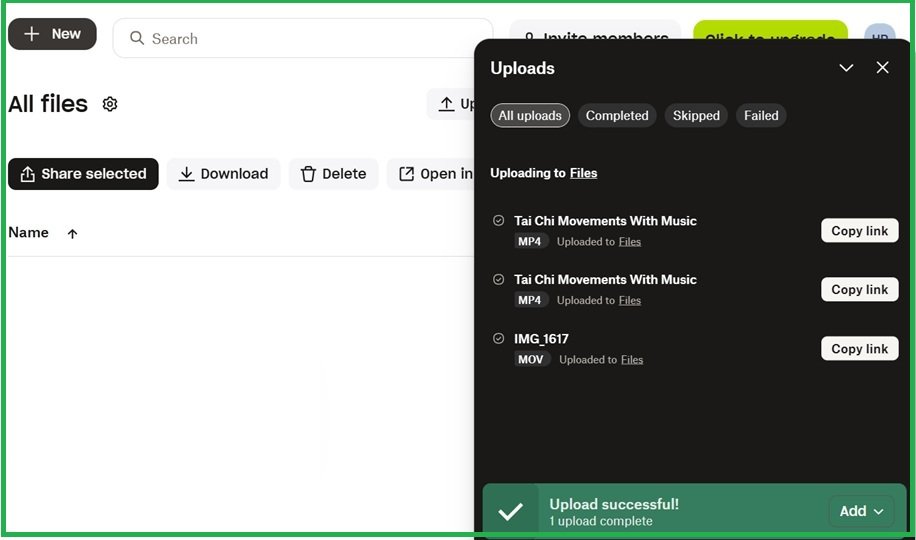
You will then see a black window popping up from your Dropbox page showing the progress of uploading.
4. Copy the URL of your uploaded video:
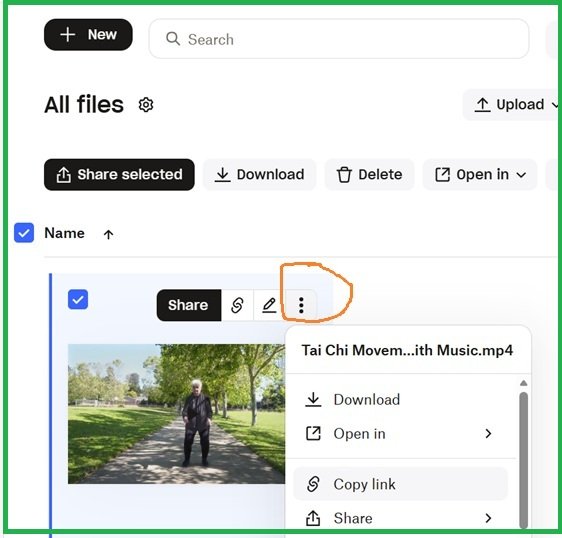
Once the video is successfully uploaded, its thumbnail will appear on your page.
Move your cursor over the image and then you will see the 3 dots (as highlighted in the screenshot).
Click on the 3 dots and then select “Copy link” in the drop-down menu.
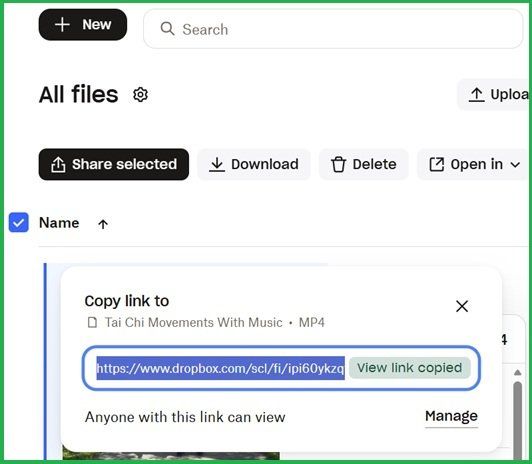
A small dialog box will pop up, showing that the link has been copied.
5. Submit the URL of your uploaded video
Go back to the page for submitting the video, https://holhealthpros.com/lesson/video-of-your-tai-chi-demonstration/, and paste the URL into the URL field on the page. Then press the “Submit” button.
If you have questions, please contact us at hhp@holhealthpros.com.