
If you would like to know how to shoot the video of you doing Tai Chi, please review this page.
- Sign in to YouTube (youtube.com). If you don’t have one, create an account.

2. Click Create and then Upload video (see the screenshot)
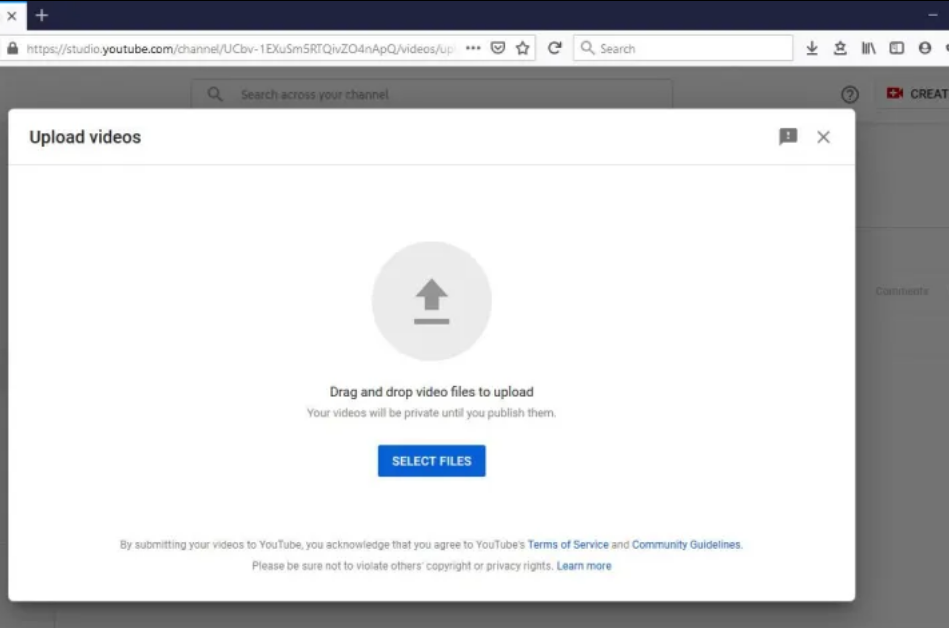
3. Choose Select files or drag the video onto the upload area (see the screenshot)
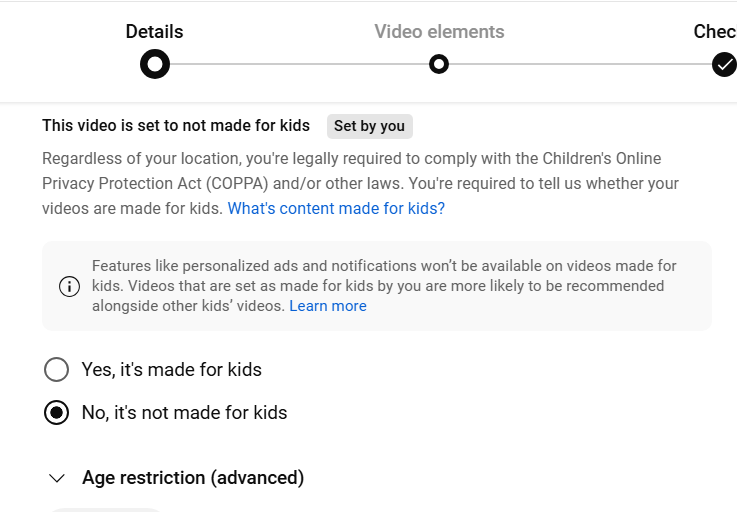
4. On the details page, while the video is being uploaded, scroll down to select “No, it’s not made for kids”. (see the screenshot)
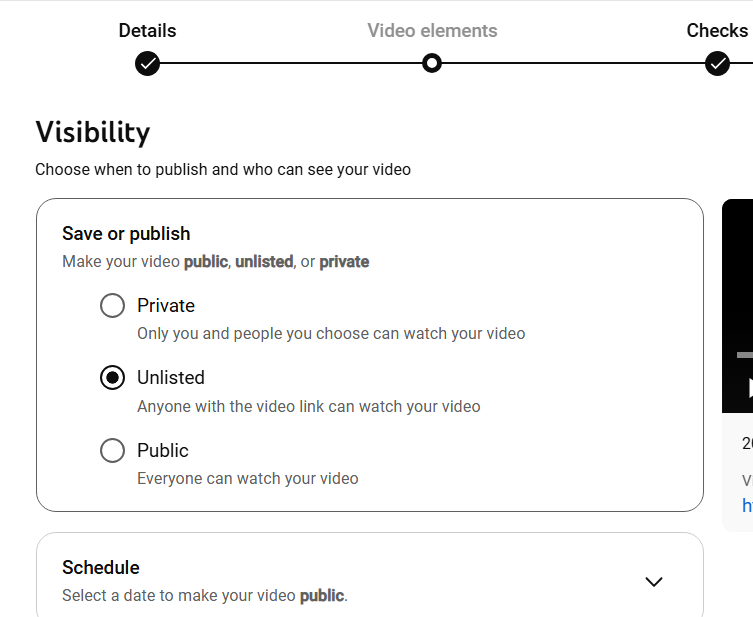
5. Click “Next” a few times until you reach the page for Visibility: choose Unlisted (see the screenshot) and then press “Save”.
6. Copy the link and then submit it through the final lesson page.